Fileman
Most organizations have a huge repository of client data files that are required on demand for access by all members of staff to reference or update client details. Traditionally, the files have been kept in a physical store managed by a store keeper who issues them to members of staff upon signing it out. This legacy system has lead to several problems such as
- Slow and tedious manual file retrieval process due to lack of an up to date file catalogue
- Members of staff overstaying with the customer’s files long after they are finished using them.
- Physical signing out of files increases the risk of losing critical customer data.
- Signing out of files may allow access to sensitive client data by unauthorized users
- When a staff is out of the office on leave or no longer an employee, their client’s files “disappear”
- Repeated physical handing of files cause wear and tear leading to loss of important data.
- Finally there is no way of keeping track of who accessed which file and when for logging purposes.
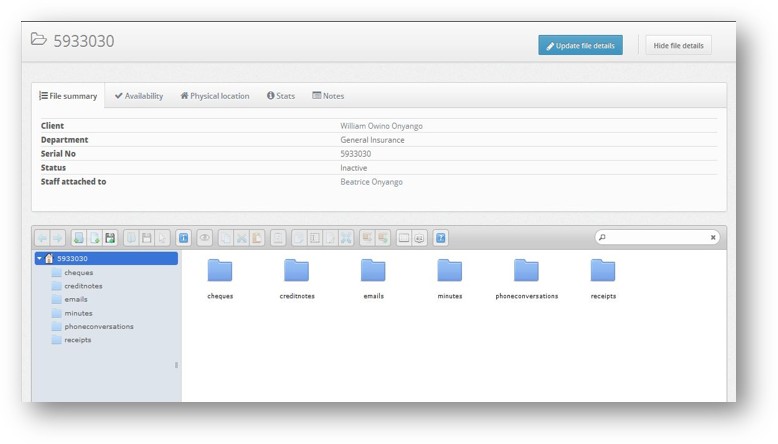
In addition, the pre existing file management systems don’t have a means of capturing important communications such as emails, chats, phone transcripts and minutes of meetings with a client and storing this data in the client’s file. These communications are vital in keeping track of all transactions between an organization and its customers. This can be critical when conflicts arise over past transactional details. Our file digital file management system also keeps a log of all conversations between an organization and a client arranged in chronological order of their occurrence for future references. This way, one only needs to review the client’s digital file to be brought up-to-date on the context of a transaction or to know where a business process between the organization and its client had reached as of the last meeting with the client.
BTI Millman has developed a digital file management solution that addresses these and more inherent issues with traditional file management systems.
Digital File Management System
We developed a robust, scalable, distributed, centrally managed and secure data file management system to help manage all physical and hardcopy client data files such as cheques, credit notes, invoices, quotations, insurance cover contracts etc.
In a nutshell, all the organizations physical documents are digitally scanned and uploaded to the system in PDF or image format for retrieval via a secure local intranet application by authorized personnel only.
This way, an organization is able to:
- Most importantly have a digital copy of all its files and documents in a secure storage facility
- Control and track access to sensitive documents via a privilege-based access control system to files
- Speed up search and retrieval of organizational and customer files, speeding up business processes
- Ensure business transaction context continuation in case member of staff in charge is not available
The file store manager creates a digital copy of every existing organization and customer files and documents by scanning and uploading the digital format on a local server. The store manager saves the file by customer name, date of creation, department file originated, member of staff in charge of client file and by file name. This will enable the file to be easily catalogued, searchable and viewable by system users.
The system requires all members of staff to be registered as system users and issued with a secret username and password to access the organizations files in digital formats. There will be different levels of user access roles and privileges to ensure only authorized members of staff access files labeled for their security clearance level
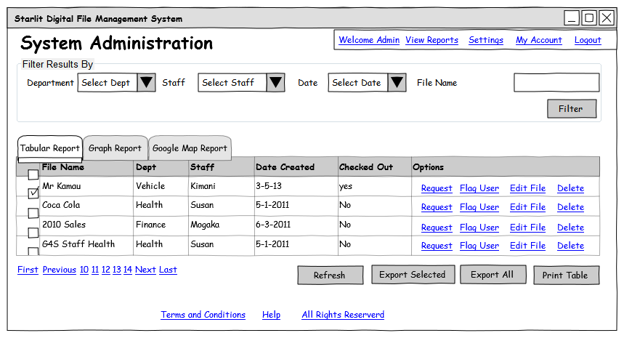
Figure 1: proposed digital file management dashboard
Furthermore the store manager or data clerk scans all pages of the file and upload them as PDF files to be associated with the file created on the system. This will serve as a digital copy of the file to be accessed online by a user who only needs to reference some customer details rather than checking out the physical file from the store. This will also enable several members of staff to view the digital file simultaneously greatly increasing file access among members of staff.
Figure 2: viewing the digital copy of the file online
In case a member of staff requires the physical copy of the file, for instance to add a new business document, they shall login to the digital file management system, search for the file by available details such as customer name or date of creation, then places a request for the file. The system shall notify the store manager or system administrator that the file is being requested by the member of staff whereupon, if the member of staff has access rights to the file, the store manager checks out the file and physically takes it to the member of staff’s office or desk.
The system shall keep track of overstayed files that haven’t been checked back in to the store after a dynamically set number of days have expired. The store manager shall then follow up with the member of staff to return the file to the store. Once checked back in, the store manager shall update the file details accordingly by scanning and uploading any added pages or commenting on the state of the file. This shall ensure the firm’s management knows where every file has been since its creation and who has had access to it and at what time.
The system shall also allow staff to create digital records of any important email, chat, phone conversation or minutes of a meeting with the client. Important conversations entail official communication to or from a client that may need to be referenced later such as authorization to execute an action on a client’s ac. These records will be kept in chronological order for the sake of following the thread of the conversation. Any email attachments will be uploaded to the client’s digital file too for record keeping.
Sample System Features
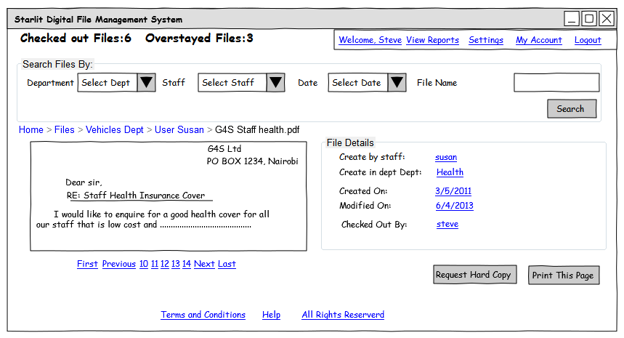
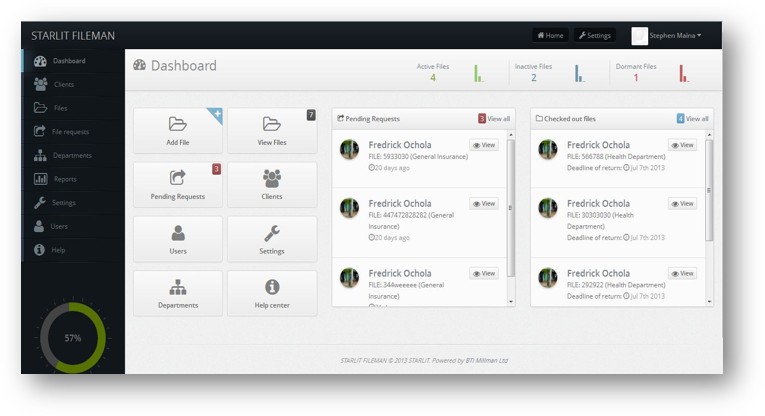
Figure 2: viewing the digital copy of the file online
Figure 4: Viewing digital file via intranet solutions
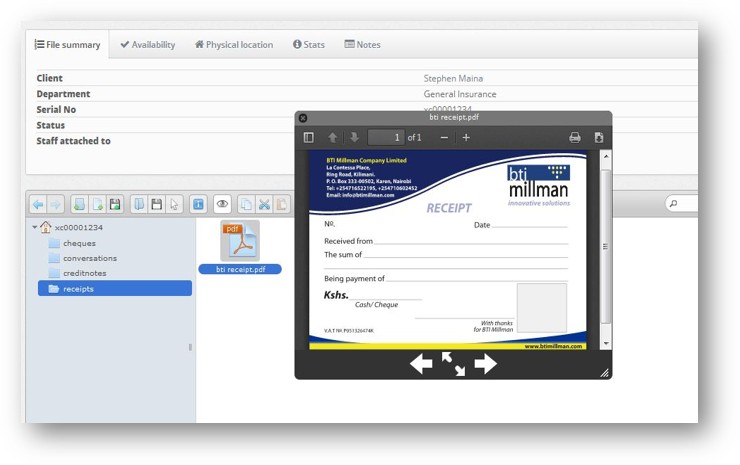
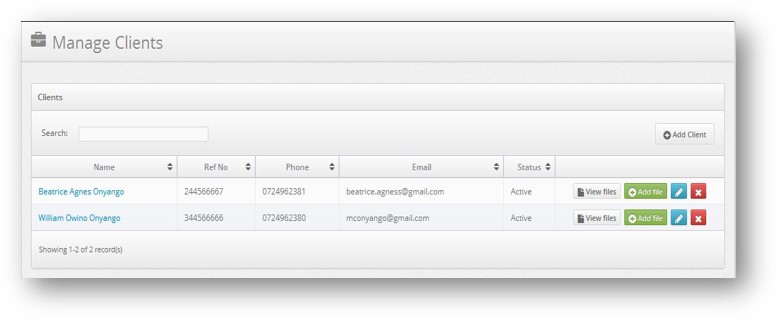
Figure 5: Client management module enabling authorized organization’s staff access client centered transactional data
Figure 6: Manage multiple departments in an organization for categorizing transactional documents
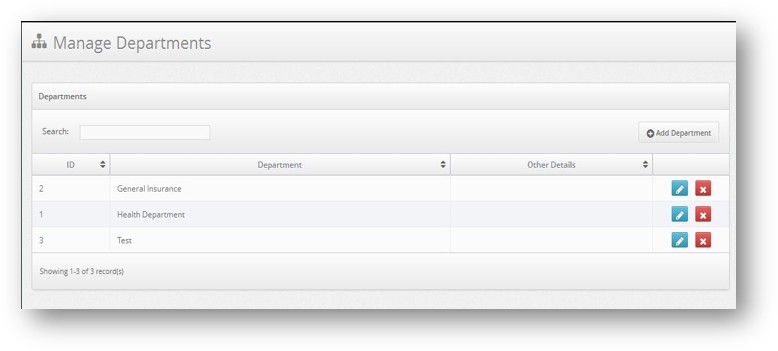
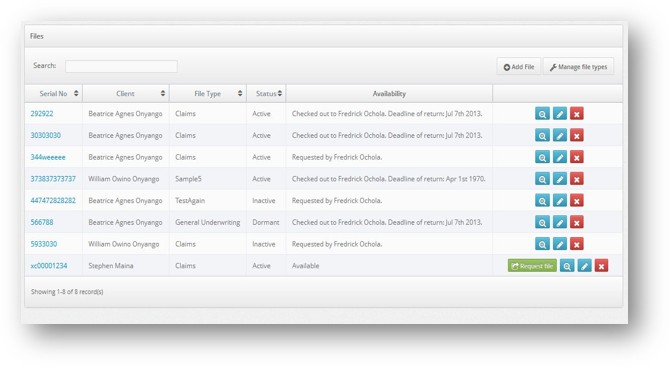
Figure 7: Digitize and store files in a searchable format for authorized staff to request physical copy from the file store
Figure 8: Create a digital version of a file with contextual data such as unique key and department for associative search
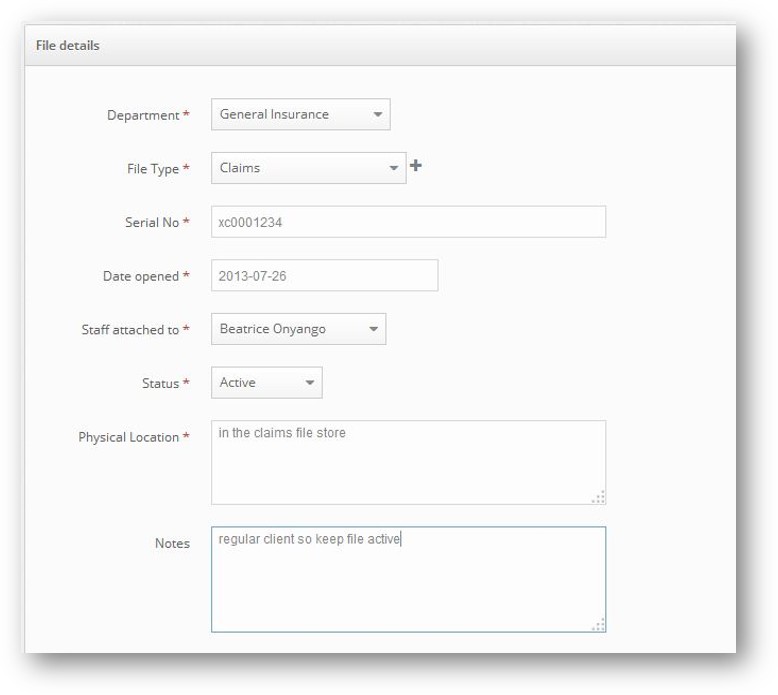

Figure 8: Generate and export graphic and tabular reports of file usage
Figure 9: Organize digital files per folder for easy cataloguing and contextual search